Paper vs Vanilla Minecraft


Introduction / Background 🔗
Paper is a performance focused Minecraft server software that aims to provide the best multiplayer experience while also fixing many long standing exploits and bugs that exist in Vanilla or Spigot Minecraft. Most notably, Paper has a completely rewritten light engine called Starlight and recently a brand new chunk system as an initial step toward true parallel chunk ticking planned for the future.
As Paper gains more popularity, the differences between Paper and Vanilla Minecraft gameplay have been brought up many times. This article is written to document the technical differences and the minor gameplay tweaks that server owners may wish to adjust to better fit the needs of their communities.
This guide has been updated for Minecraft version 26.2.
- Latest addition: Adding explanation for TPS Catchup
Table of Contents
Prerequisites 🔗
In the following section, it will cover the major differences between Vanilla Minecraft and Paper. The focus of this post is not to optimize the server further; rather, it focuses on preserving the Vanilla gameplay experience with some cost to server performance. Essentially, an unoptimizing guide!
The sections will be categorized into general and advanced gameplay changes. It may be beneficial for the majority of small servers to go through the general gameplay section and adjust as needed; for the advanced category, it will list several gameplay changes that may be considered exploits by most communities. Please take great consideration of the possible negative side effects of those changes and adjust as needed.
Additionally, if you are hosting a smaller scale server for friends and family, you can jump into the Vanilla Experience Section right away, which will guide you through all the config changes to make your Paper server as close to Vanilla Minecraft as possible.
According to bStats, an average Minecraft server has roughly
0.49average players online.
The vast majority of Minecraft servers serve small-scale communities and providing a better gameplay experience may be a stronger focus than the common lag reduction measures, hence why this guide exists!
General Gameplay 🔗
View Distance 🔗
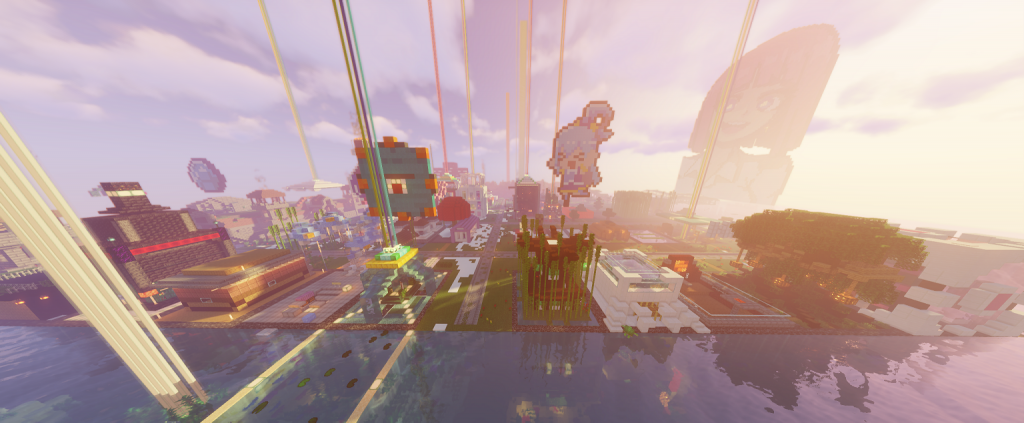
View distance determines how far away terrain is displayed to players. Some players may prefer to see further than the default 10 chunks and here is where Paper shines! Unlike Vanilla Minecraft where chunk data is always sent regardless of client preference, Paper will respect the client config on how many chunks should be sent. This not only saves server resources but also prevents performance issues on the client as well.
Depending on the size of your server, you may opt to increase view distance from 10 up to a maximum of 32 if you do wish to push the limit. Keep in mind that each additional numerical increase will result in exponential growth in how many chunks a player loads. More detailed info on view distance can be found here.
Alternatively, you can also utilize a client side Fabric mod to cache terrain locally without the increased workload on the server.
You can read more about client optimization mods here.
Entity Tracking Range 🔗
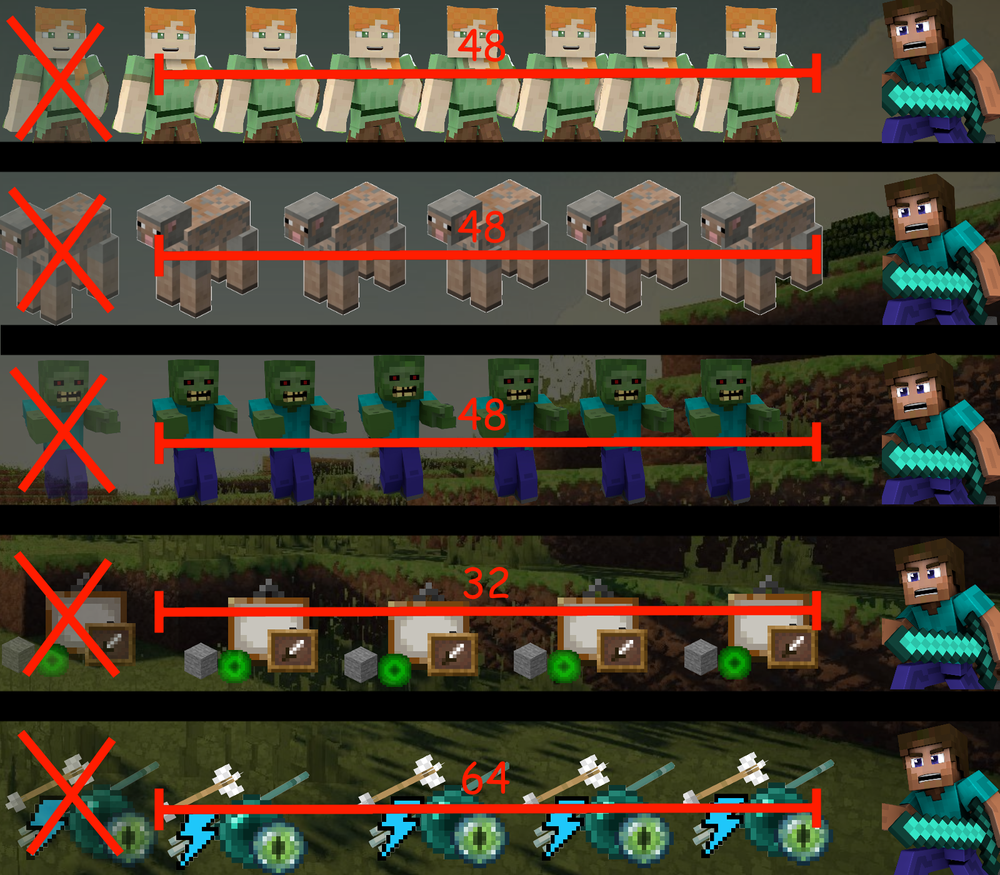
Entity-Tracking-Range is perhaps one of the most noticeable differences between Vanilla single player and a Paper server. The entity tracking range on Paper servers is slightly lower by default in order to reduce server workloads.
The default entity distance is 160 blocks in Vanilla single player assuming the entity distance scroll is set to 100%.
The relative config options can be found in spigot.yml.
entity-tracking-range:
  players: 128
  animals: 96
  monsters: 96
  misc: 96
  other: 64
For a small server with sufficient hardware to support it, it may be beneficial to increase entity-tracking-range so players can see more happening in the world around them for a better gameplay experience. The value is in blocks and if you do decide to increase them, please keep it at a maximum equal to or below (simulation distance -1) x16.
Bumping any other category may impose a heavy performance hit on your server. Making small adjustments and observing how well your server handles the increased workload will be the best approach.
Entity Activation Range 🔗
entity-activation-range determines how far away (in blocks) an entity should be activated. Any entity falling outside of this zone will be ticked at a reduced frequency. This can cause gameplay inconsistencies or slower farm yields. For small scale servers, it is safe to bump the value up to match the tracking range above, or flat out disable it with a 0 value.
entity-activation-range:
  animals: 0
  monsters: 0
  raiders: 0
  misc: 0
  water: 0
  villagers: 0
  flying-monsters: 0
For more advanced information, please visit the relevant section on the server optimization guide.
Mob Spawning 🔗
The default spawning value in Paper generally follows closely to Vanilla default; however, there are a few things that our upstream Spigot or CraftBukkit breaks that have not been fixed in Paper.
It is worth playing around with the default value to find a sweet spot for your server. The default value is absurdly high and the majority of entities may spawn out of sight of a player. Please consult the server optimization guide for further details.
Mob farm efficiency may decrease drastically on multiplayer servers due to how mob spawning is determined in Minecraft. Paper does attempt to mitigate this issue with per-player-mob-spawns located in paper-world-defaults.yml.
Vanilla mob spawning is not only complicated, but also inherently flawed on multiplayer servers.
For example, we have two players in the Nether dimension. Player A is AFK high up on a Nether ceiling Piglin farm while Player B is just chilling on the Nether Waste biome. Even though the spawn attempts are made on all loaded chunks around both players, a vast majority of the successful mob spawn attempts will end up around the player with the most favorable spawning conditions. In this case, Player B will be getting most of the mobs while Player A gets very few, simply because there are more spawnable chunks around Player B overall.
Chunk Loader 🔗
###Chunk Loaders do work on Paper servers!!
The misunderstanding often arises because players are unaware of the behavioral differences between Minecraft Singleplayer and Multiplayer.
Here is an example of a working chunk loader in Paper that keeps chunks properly loaded in a 3x3 area.
Additionally, if you are utilizing a Fishing Rod Stasis Chamber with a Pressure Plate, try setting the delay-chunk-unloads-by option in paper-world-defaults.yml to 0. This change makes chunks unload instantly, just like in Vanilla Minecraft, and may help fix the issue.
Cross-Dimension Mob Farms 🔗
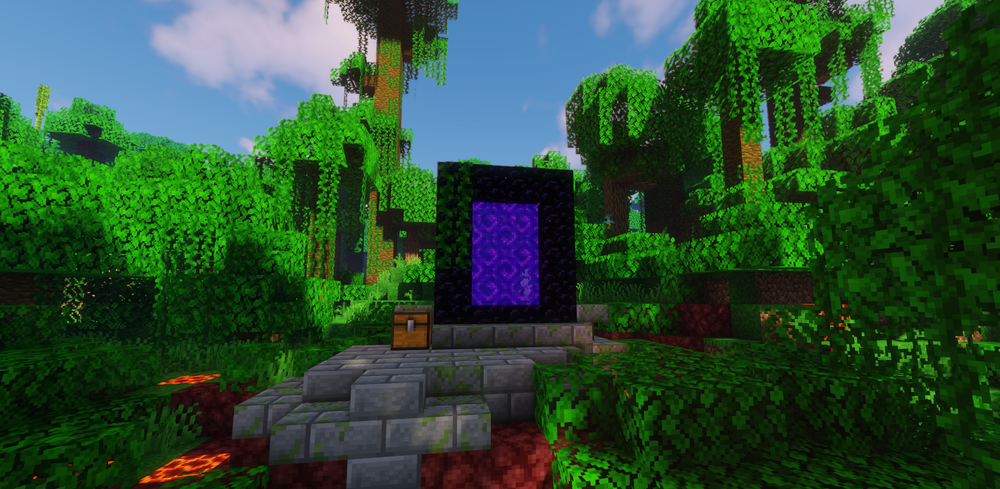
Portal Based Farms may not function like Vanilla Single Player
Certain Vanilla farm designs utilize portals to bypass the world spawn limits by temporarily transferring mobs to the Nether or End, effectively reducing the mob cap in the Overworld and increasing the yield of the farm. However, on Minecraft Multiplayer, these types of farms will not function properly due to entities despawning when there are no players around the exit portal, unless you have a player who is near the exit portal. Read more on the technical explanation here: GitHub issue.
Is this a Paper Specific Behavior Change…?
NO! Please note that Paper behaves the same way as Vanilla Multiplayer in this case. In both cases, if there is no one in the target dimension, the mobs will be kept. However, if players are in the target dimension but too far away from the exit portal, the hard despawn logic will be triggered and the mobs will disappear when they exit the portal. Therefore, the only difference in behavior is between singleplayer and multiplayer.
Otherside Plugin by Kyle!
Otherside is a plugin made to address this exact issue and to simulate the single player despawn behavior mentioned above. It prevents mobs from despawning upon exiting a portal when no players are nearby the exit portal. Please install the Otherside plugin and see if that fixes the farm issues!
Iron Farm 🔗
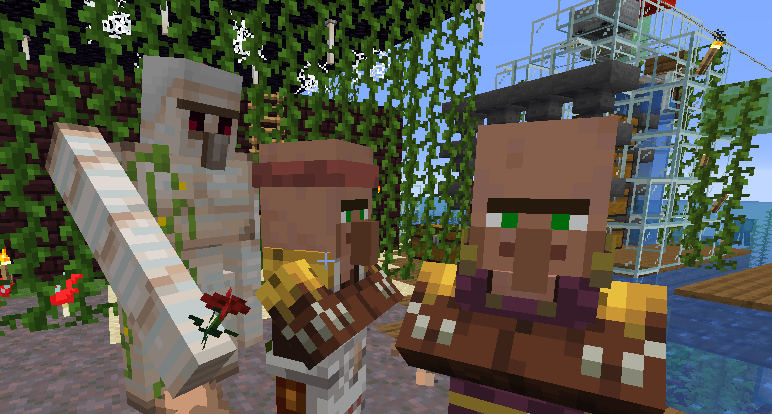
Design an Iron Farm that Works on Your Server
There are many ways to approach designing an Iron Farm and not all of them will work efficiently on your server; some of them may not even work at all. Whether it is a direct impact of the two behavioral changes listed above or a side effect of server optimizations, generally speaking, Iron Farms do work on a Paper server.
The issue is only amplified by clueless copycat builders who blindly copy a build from YouTube without making necessary adjustments such as the shortened activation ranges, simulation distances, and dozens of other factors. I suggest going through this section and then ensuring you have met all requirements for villagers to spawn an Iron Golem quickly and reliably.
Here is a very insightful video going in depth on several design philosophies and their efficiency. It should grant you useful tips and hopefully get your iron farm to work on a Paper server!
Redstone 🔗
Redstone Implementations
Paper provides two additional optimized redstone implementations for server owners to choose from. You can find the options in config/paper-world-defaults.yml under redstone-implementation.
The default here is VANILLA; however, ALTERNATE_CURRENT is recommended as it is more optimized and mostly preserves the Vanilla behavior in my personal experience.
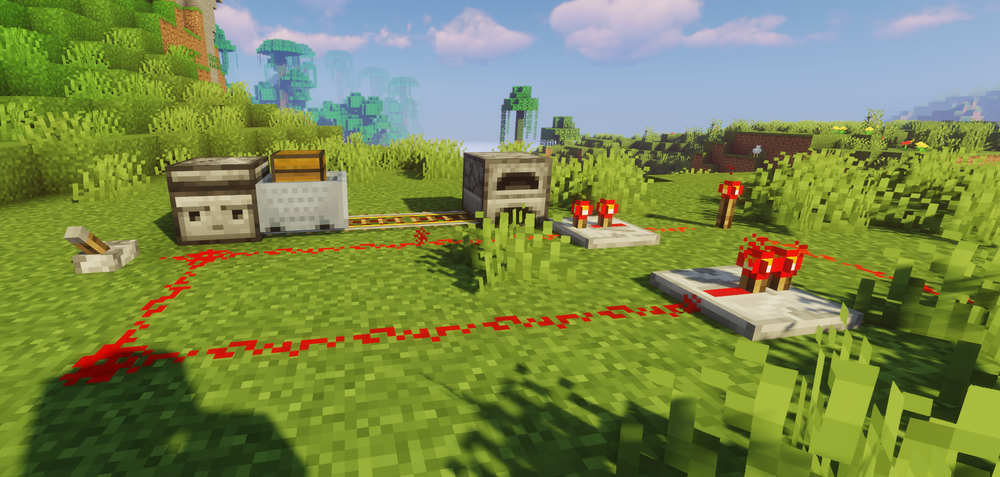
If you are building large redstone contraptions with lots of minecarts and rails that rely on hopper transfers, it may be worth setting misc to 0 on entity-activation-range in spigot.yml, or disabling it altogether.
The majority of redstone contraptions work fine on Paper servers. They may need some tweaking on tick-rates in some time-sensitive builds but it is not impossible to achieve.
TNT, Carpet, Rail, Sand, and Tripwire Hook Duping 🔗
TNT, Carpet, Rail, Sand, and String Duping Requires Manual Configuration
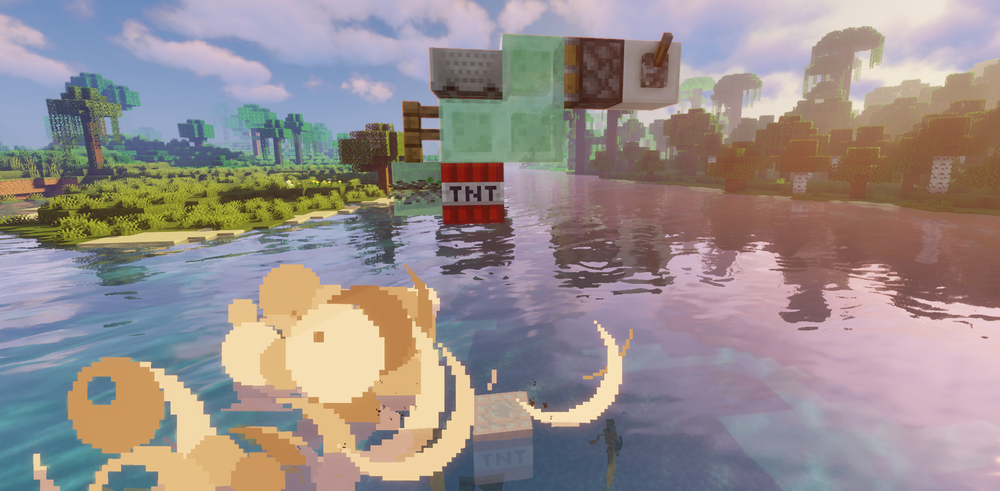
Paper fixes every and all publicly known duplication glitches that exist in Vanilla Minecraft, which includes the famous TNT or carpet duper. If you would like to restore such functionality, please toggle the following options to true in config/paper-global.yml.
- TNT, Carpet, Rail, Sand, and String Duping:
allow-piston-duplication - Bedrock and End Portal Block Breaking:
allow-permanent-block-break-exploits - Gravity and Sand Block Duplication:
allow-unsafe-end-portal-teleportation - Tripwire Hook Duplication:
allow-tripwire-disarming-exploits
TPS Catchup 🔗
config/paper-global.yml

misc:
  catchup-ticks: default
Paper provides a TPS catch up feature that allows the server to recover after falling behind on the work that needs to be processed each tick.
Instead of waiting the normal delay between ticks, the server temporarily processes ticks more quickly until it catches up. This helps maintain an average TPS of 20 after brief lag spikes.
The trade off is that players may experience multiple hits from zombies or feel like mobs suddenly move much faster after a lag spike.
This feature is generally not harmful, but if you prefer an experience that is closer to Vanilla, you can disable it by setting the value to 0.
Advanced Gameplay 🔗
The exploits utilized in the advanced gameplay section often utilize known bugs or yet-to-be-fixed exploits which completely break the sandbox game as they often enable players to gain unlimited resources with little to no effort required. You may as well give your players creative mode. Some exploits can be re-enabled by config options provided by Paper; however, due to the risk and complexity of certain exploits, not all of them can be reverted this way.
If you are running a highly technical server, please consider using Vanilla or Fabric as no technical server uses anything based on CraftBukkit, Spigot, or Paper due to behavioral changes.
Overstacked Item Filter 🔗
Certain item sorter designs require the use of an overstacked item filter, which exploits a glitch allowing players to stack items that would normally not be stackable. If you would like to allow this behavior, toggle allow-grindstone-overstacking to true in paper-global.yml.
Here is an example video of this setup.
RNG Manipulation 🔗
The technical details are a bit complicated but basically RNG manipulation enables players the ability to use program assisted methods to get desirable outcomes. This is a game breaking exploit and should not really be possible; however, if you want to re-enable this exploit, you can use the plugin listed below. Random Control Below is a client mod released by Earthcomputer to automate the RNG manipulation. /Earthcomputer/clientcommands
Here is an example video of this exploit
Light Suppression 🔗
Light Suppression exploits the slowness of Vanilla Minecraft light updates to suppress or skip the light or block update to achieve various effects. Due to Paper using a completely rewritten light engine called Starlight, Light Suppression simply does not work on Paper and there is and will never be a configuration to re-enable it. Consider using Vanilla if you are running such a highly technical server.
Vanilla-like Experience 🔗
The most direct way to experience Vanilla gameplay is by running a Mojang or Fabric server software.
To config a Paper server to be as close to Vanilla as possible, please take a look at the Vanilla-like Experience page. It provides you with a list of things to change or disable (in most cases, at the cost of performance) to make your server feel as close to Vanilla Minecraft as possible.
You can help us improve Paper as well!
Please report any gameplay inconsistency between Paper and Vanilla Multiplayer Minecraft to our GitHub Issue tracker if applying the Vanilla-like config does not help.
Closing Notes 🔗
In conclusion, Paper provides the most noticeable performance gains while being relatively stable and offering config options to revert several gameplay duplications and exploits.
For the majority of Minecraft server owners, new or returning, Paper is the most ideal choice of server software with the largest supporting community behind it. We welcome you to join us on Paper Discord if you have more questions that this post fails to answer.
Furthermore, if you have any suggestions or feedback in regard to this article, please reach out to EterNity on Paper Chan Discord.
Special Thanks
Owen for providing epic graphics.